%22%20stroke-width%3D%222%22%3E%3Ccircle%20stroke-opacity%3D%22.5%22%20cx%3D%2218%22%20cy%3D%2218%22%20r%3D%2218%22%2F%3E%3Cpath%20d%3D%22M36%2018c0-9.94-8.06-18-18-18%22%3E%3CanimateTransform%20attributeName%3D%22transform%22%20type%3D%22rotate%22%20from%3D%220%2018%2018%22%20to%3D%22360%2018%2018%22%20dur%3D%221s%22%20repeatCount%3D%22indefinite%22%2F%3E%3C%2Fpath%3E%3C%2Fg%3E%3C%2Fg%3E%3C%2Fsvg%3E)

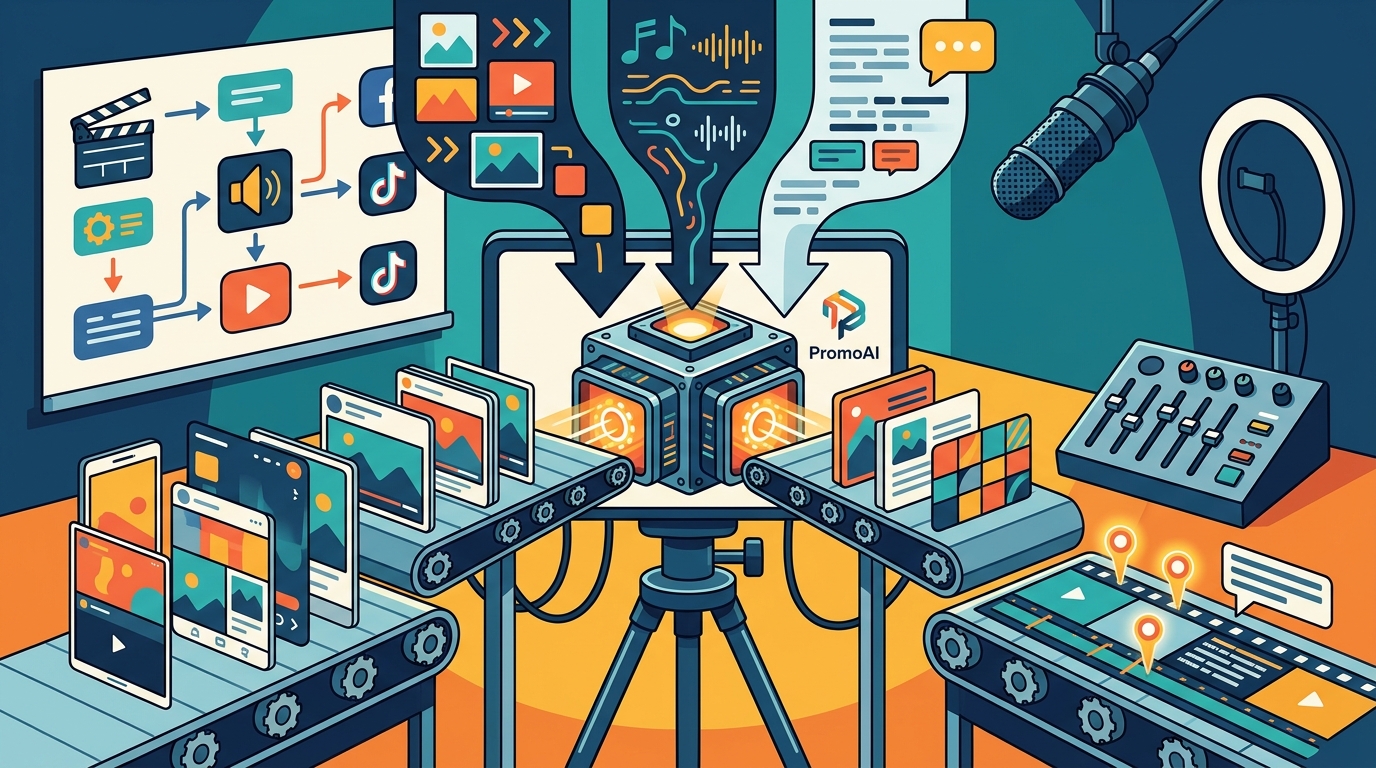
Yes, you can create a professional video for social media using AI. Modern AI video tools automate editing, formatting, and branding to produce high-quality content quickly. This guide covers how AI handles brand consistency, templates, generation, and platform-specific formatting. We also explore voiceover synthesis, caption automation, and editing workflows. You will learn how to use these features to build a complete social media video strategy.
Brand Consistency
Brand consistency is the practice of using uniform visual and verbal elements across all media. It ensures your audience recognizes your business instantly. Inconsistent branding erodes trust and reduces the impact of your marketing efforts. AI tools help maintain this consistency by applying your brand assets automatically.
Automated Brand Asset Application
AI systems can store your logo, color palette, and font choices. When you create a new video, the tool applies these elements to every frame. This removes the need for manual adjustments in each project. You can upload your brand kit once and reuse it for all future content.
Maintaining Visual Identity
Scalability of Branding
When you scale your content production, manual branding becomes a bottleneck. AI allows you to produce dozens of videos while keeping the brand look identical. This is essential for businesses that need to post daily or weekly. It ensures that every piece of content reinforces your professional image.
Template Based Creation
Template based creation is a workflow where you start with a pre-designed video structure. These templates provide a proven layout for your content. You simply replace the placeholder text and images with your own. This method significantly reduces the time required to produce a video.
Speed and Efficiency
Templates eliminate the blank canvas problem. You do not need to decide on layout, timing, or transitions from scratch. The structure is already optimized for engagement. This allows you to focus on the message rather than the technical design.
Professional Design Standards
Professional templates are designed by experts who understand visual hierarchy. They ensure that important information is highlighted correctly. This prevents common design mistakes that can confuse viewers. Using a template guarantees a polished result even if you lack design skills.
Customization Options
While templates provide a structure, they still allow for customization. You can change the colors, fonts, and music to fit your specific campaign. This balance of structure and flexibility is ideal for social media. It gives you a professional base that you can tailor to your needs.
AI Video Generation
AI video generation is the process of using artificial intelligence to create video content from text or images. It can generate scenes, transitions, and even animations automatically. This technology is transforming how businesses create marketing materials. It allows for rapid iteration and testing of different creative concepts.
Text to Video Capabilities
Modern AI tools can interpret a text prompt and generate a corresponding video. You describe the scene, and the AI creates the visuals. This is particularly useful for conceptual videos or abstract ideas. It saves time by removing the need for live-action filming for every concept.
Automated Editing
AI can also handle the editing process. It can cut out silences, adjust pacing, and select the best shots. This automated editing ensures a smooth flow in the final video. It mimics the decisions a human editor would make but at a much faster speed.
Iterative Design
With AI, you can generate multiple versions of a video quickly. This allows you to test different angles or messages. You can see which version performs better before committing to a full production. This iterative approach is highly effective for social media advertising.
Platform Specific Formatting
Platform specific formatting refers to adjusting video dimensions and aspect ratios for different social networks. Each platform has unique requirements for video display. Ignoring these requirements can result in cropped or distorted content. Proper formatting ensures your video looks professional on every device.
Aspect Ratio Importance
Aspect ratio is the proportional relationship between the width and height of a video. Different platforms prefer different ratios. For example, vertical videos are standard for stories and reels. Horizontal videos are better for feeds and desktop viewing. AI tools can automatically resize your video to fit these ratios.
Safe Zones and Overlays
Multi-Platform Adaptation
Creating separate videos for each platform is time-consuming. AI can take one master video and generate versions for multiple platforms. It adjusts the aspect ratio and repositions elements for each format. This allows you to maintain a consistent message across all channels.
Platform Formatting
Resolution and Quality
Duration Limits
File Type Compatibility
Platforms prefer specific file formats like MP4. AI tools can convert your video to the correct format automatically. This eliminates the need for manual conversion. It ensures that your video is ready for upload without technical issues.
Voiceover Synthesis
Voiceover synthesis is the use of AI to generate human-like speech from text. It allows you to add a professional narration to your video without recording yourself. This is useful for businesses that do not have a dedicated voice actor. It provides a consistent and clear audio track for your content.
Selection of Voice Styles
Clarity and Pacing
AI voices can be adjusted for clarity and pacing. You can control the speed of the speech to match the video visuals. This ensures that the audio and video are synchronized. It prevents the narration from feeling rushed or too slow. Proper pacing keeps the viewer engaged throughout the video.
Language and Accent Options
Caption Automation
Caption automation is the process of using AI to generate text overlays that match the audio in a video. It creates subtitles or captions that improve accessibility and engagement. Many viewers watch videos without sound, so captions are essential. They ensure your message is understood regardless of the audio setting.
Accessibility and Reach
Captions make your content accessible to people with hearing impairments. They also help viewers in noisy environments. This expands your potential audience significantly. AI can transcribe the audio and display the text on screen. It ensures that no part of your message is lost.
Styling and Animation
AI tools can style captions to match your brand. You can choose the font, color, and animation style. Animated captions can add energy to your video. They can highlight key words or phrases for emphasis. This makes your content more dynamic and visually appealing.
Accuracy and Editing
While AI transcription is highly accurate, it may require minor edits. You can review and correct any errors in the text. Most tools allow you to edit the captions directly in the editor. This ensures that the final text is perfect. It maintains the professional quality of your video.
Social Media Formatting
Social media formatting is the optimization of video content for social network algorithms and user behavior. It involves adjusting the length, style, and content to maximize engagement. Social media users have short attention spans, so your video must be compelling. Proper formatting helps your content stand out and perform better.
Engagement Optimization
Algorithms favor content that keeps users on the platform. Short, engaging videos are more likely to be shared. AI can help you structure your video to maximize watch time. It can suggest the best hooks and calls to action. This increases the likelihood of your video going viral.
Mobile First Design
Trend Integration
Social media trends change rapidly. AI can help you identify and integrate current trends into your content. This keeps your brand relevant and up-to-date. It shows your audience that you are aware of what is popular. Integrating trends can boost your engagement and reach.
Platform Specific Editing
Native Features and Effects
Each platform has its own set of effects and tools. AI can help you apply these effects to your video. This makes your content look like it was created specifically for that platform. It enhances the user experience and increases engagement. Using native features shows that you understand the platform.
Interactive Elements
Performance Tracking
Editing for specific platforms also involves tracking performance. AI can analyze how your video performs on each network. It can provide insights into what works and what does not. This data helps you refine your editing strategy. It ensures that your future videos are even more effective.
Comparison of AI Video Features
| Brand Consistency | Uniform visual identity | All marketing videos |
| Template Creation | Faster production time | Regular social posts |
| AI Generation | Rapid concept testing | Ad campaigns |
| Platform Formatting | Optimized display | Multi-platform distribution |
| Voiceover Synthesis | Professional narration | Explainer videos |
| Caption Automation | Improved accessibility | Silent viewing environments |
Key Takeaways
- AI tools can create professional videos that maintain strict brand consistency.
- Template based creation significantly reduces the time needed for video production.
- AI video generation allows for rapid testing of different creative concepts.
- Platform specific formatting ensures your video looks correct on all social networks.
- Voiceover synthesis provides professional narration without the need for recording.
- Caption automation improves accessibility and engagement for silent viewers.
- Platform specific editing helps your content feel native to each social network.
- Using AI for video creation allows businesses to scale their content production efficiently.
Frequently Asked Questions
Can AI create a video that looks professional?
Yes, AI can create videos that look professional. It uses advanced algorithms to handle editing, formatting, and branding. The result is a polished video that meets high standards.
Do I need editing experience to use AI video tools?
No, you do not need editing experience. AI tools are designed to be user-friendly. They automate complex tasks, allowing anyone to create videos.
How does AI handle brand consistency?
Can AI generate voiceovers for my videos?
Yes, AI can generate voiceovers from text. You can choose from various voices and tones. This allows you to add professional narration to your videos.
Is caption automation accurate?
Caption automation is highly accurate. It transcribes the audio and displays the text on screen. You can review and edit the captions to ensure perfection.
Does AI help with platform specific formatting?
Yes, AI can adjust your video for different platforms. It changes the aspect ratio and resolution to fit each network. This ensures your video looks good everywhere.
Can I use AI to create videos for multiple social networks?
Yes, AI can create versions of your video for multiple networks. It adapts the format and style for each platform. This allows you to distribute your content widely.
How long does it take to create a video with AI?
It takes minutes to create a video with AI. The automation of editing and formatting speeds up the process. You can produce multiple videos in a short time.